Pause · Verify · Report
AI scams and deepfakes: what to do when a message feels urgent
AI can help criminals produce polished messages and imitate voices, images or video. You do not need to detect the technology. You need a routine that checks the request through a separate, trusted route.
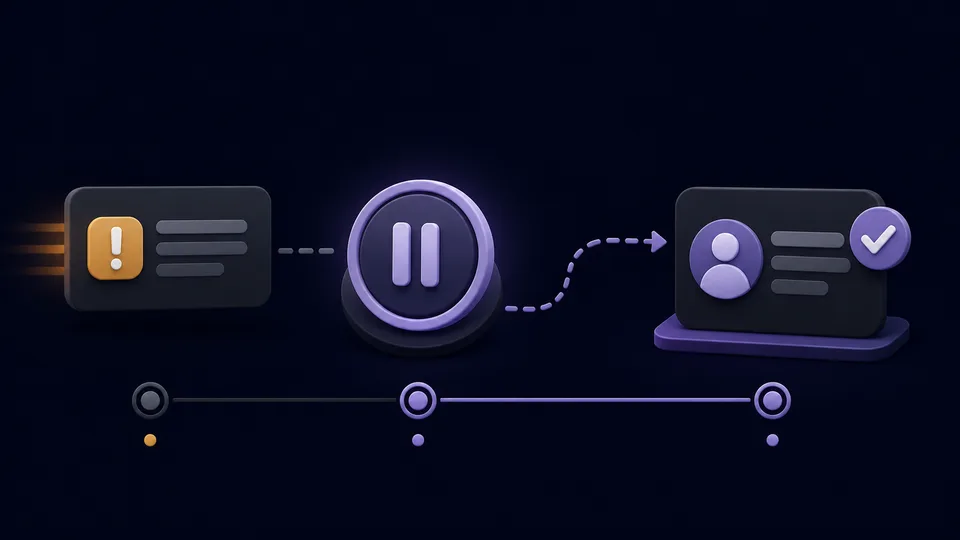
What AI changes
Good spelling, a familiar voice or a realistic image no longer proves identity
AI can make scam emails more convincing, translate them fluently and imitate a person’s voice or appearance. A deepfake is synthetic or altered media made to look or sound like a real person. Quality varies, but searching for visual glitches is not a dependable safety method.
Judge the request, not the performance
A convincing voice can still make a suspicious demand. A poor-quality message can still be genuine. Verify money, account, secrecy and urgent-action requests independently.
Warning pattern
Be cautious when several pressures appear together
- !Urgency: “Do this now”, “I cannot talk” or “the account will close today”.
- !Secrecy: instructions not to tell family, staff, the bank or police.
- !Unusual payment: gift cards, cryptocurrency, cash collection or a new bank account.
- !Unexpected access: requests for a password, security code, remote-control app or screen sharing.
- !Changed contact details: a familiar name messaging from a new number or email address.
- !Emotional pressure: fear, romance, embarrassment, authority or a family emergency used to stop you checking.
Your response
The pause-and-verify routine
- 01Stop the conversation. Do not click, pay, install an app or share a code while someone is pressuring you.
- 02Use a separate route. Call the person on a number you already had, or contact the organisation through its official app, statement or website—not the link or number in the message.
- 03Ask a question only the real person should know. A family safe word can help, but still call back through a trusted number.
- 04Tell someone. Secrecy helps scammers. A trusted person can notice pressure or inconsistencies you missed.
- 05Report and protect. Use the appropriate official reporting route and contact your bank immediately if money or payment details were involved.
A useful sentence:
“I do not make payments or share codes during an incoming call. I will contact the person or organisation myself.”
Prepare before it happens
Create a simple family verification plan
- ✓Agree that an urgent request for money will always be checked by calling back.
- ✓Choose a memorable family safe word that is not posted online.
- ✓Keep important phone numbers saved independently of social-media messages.
- ✓Use two-step verification and unique passwords for email, banking and social accounts.
- ✓Make it clear that nobody will be blamed for pausing or asking for help.
United Kingdom
Where to report suspicious contact
Forward suspicious emails to report@phishing.gov.uk. The National Cyber Security Centre also explains how to report scam texts, calls, websites and adverts.
If you have lost money or been hacked in England, Wales or Northern Ireland, use Report Fraud or call 0300 123 2040. In Scotland, contact Police Scotland on 101. Contact your bank immediately through its official number if a payment or account is at risk. Call 999 when there is immediate danger or a crime is in progress.
Reporting routes can change
Use the current NCSC reporting page below rather than relying only on a saved email address or phone number.